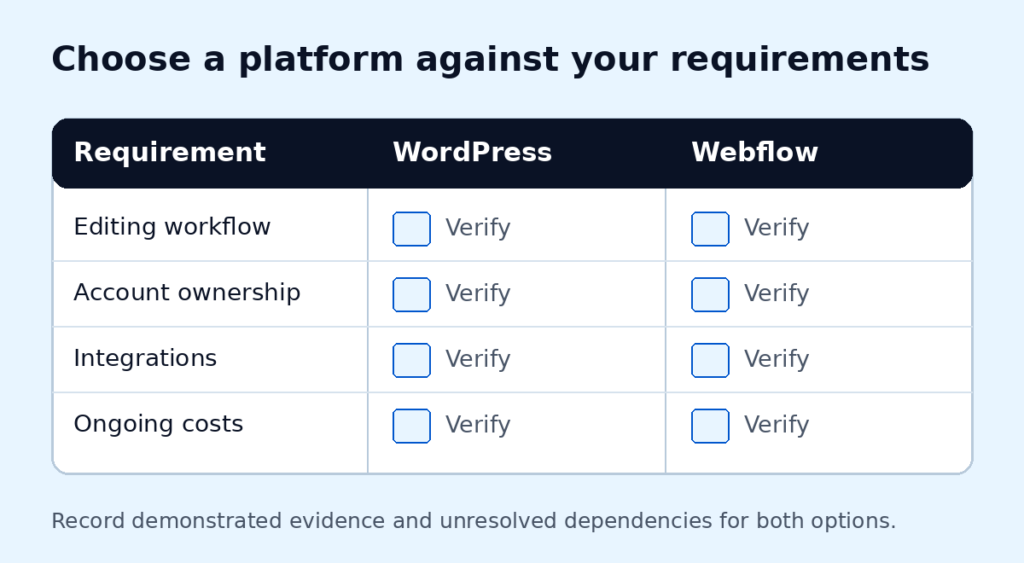
Start a platform decision with the work your website needs to do. WordPress and Webflow should be assessed against your requirements, the people maintaining the site and the responsibilities you are prepared to own. There is no universal winner for every business.
Build your comparison worksheet
For each check below, record: your must-have requirement; the WordPress proposal and evidence; the Webflow proposal and evidence; and any unresolved dependency. Mark each option “demonstrated,” “needs testing” or “does not meet the requirement.” Do not total these labels into a universal score: one unmet essential dependency may decide the choice.
Seven checks to complete for both options
- Editing: ask the person who will maintain the site to update a service, publish a case study and correct a form message in each proposed setup. Record where they need help.
- Buyer journey: follow one service from arrival to scope, proof, pricing and inquiry. Identify any missing content or contact dependency; a platform name cannot answer this check.
- Connections: list the exact form, CRM, booking and payment requirements. Ask for a demonstration of each essential connection, including errors and handover responsibilities.
- Ownership: name who controls the domain, website account, content, licenses and analytics. Confirm the access and materials you receive if the provider changes.
- Maintenance and team: name the person responsible for hosting, updates, testing and recovery. Check whether their time, skills and support arrangement fit the proposed setup.
- Portability: ask what can be moved, what must be rebuilt and what happens to forms, content and integrations. Verify the answer against the current plan and export documentation.
- Total cost: compare the build and the same period of hosting, subscriptions, extensions, maintenance and expected edits. Record assumptions and optional charges separately.
Compare a real editing task
Ask how your team would update a service, add a case study and correct a form message. Include permissions and review steps. A polished demonstration is less useful than checking a recurring task with the person who will do it.
WordPress hosting and plugin choices introduce responsibilities that should be understood before handover. For Webflow, review the current hosting and export documentation against your intended setup. Do not assume that exported code preserves every hosted feature.
Make ongoing costs explicit
Separate the initial build from hosting, subscriptions, paid extensions, maintenance and future changes. Ask which accounts belong to you, what happens when a subscription ends and how a provider change would work. Compare the same scope rather than headline prices.
Record the recommendation and its limits
A useful assessment states the recommended approach, why it fits, what remains uncertain and what would change the decision. If an integration is essential, test that dependency before committing the whole build. A platform choice does not by itself establish performance, accessibility or search results.
Do we need to migrate an existing site?
Not automatically. First establish whether the current platform prevents a necessary task. Improving structure, content or maintenance may address the issue without a migration.
References: WordPress hosting guidance and Webflow code export guidance.
Considering WordPress for a service business? Review our WordPress website design scope alongside your editing, integration and maintenance requirements.
We’ll assess your website requirements and recommend a practical direction. Any proposed delivery scope and dependencies should be agreed separately; the recommendation starts with your business, not a preferred tool. Discuss your requirements.