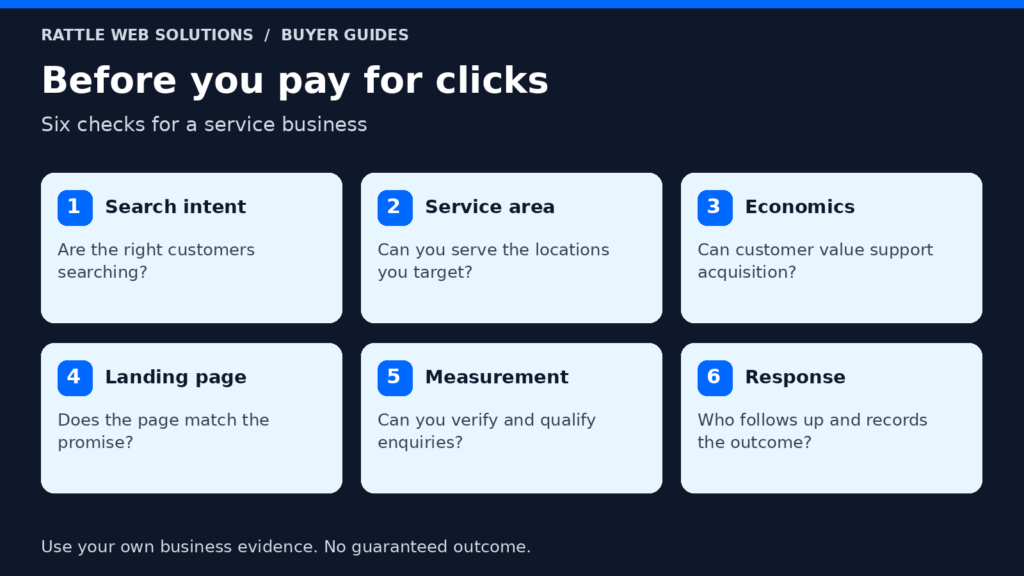
- Search intentIs the person looking for the service you sell?
- CoverageCan you deliver where the work is needed?
- PromiseDo the ad and page describe the same offer?
- MeasurementAre you counting received and suitable inquiries?
- Follow-upDid someone give a useful response?
Describe the mismatch before changing the campaign
Review a manageable set of recent inquiries and record the reason each one does or does not fit. Use the information the customer actually supplied, together with the outcome of your conversation.
Separate genuine demand that does not fit your service from technical noise. A duplicate test is not the same as a customer outside your coverage area. A person who has not answered yet is not automatically unsuitable.
| Pattern | Question to investigate |
|---|---|
| Wrong service | Did the ad or page imply that service was available? |
| Wrong location | Did targeting and coverage information match delivery? |
| Job or supplier request | Did the search intent match a buying inquiry? |
| Unrealistic scope | Did the page explain the service boundaries? |
| Budget mismatch | Did expectations become clear at the right point? |
| Duplicate or test | Is measurement counting something that is not new demand? |
| No response | Was contact attempted appropriately, and is the timing known? |
Keep uncertain cases visible. A short form may not contain enough information to judge suitability. The follow-up conversation can change your understanding.
Agree your definition with the people handling inquiries. Our guide to what counts as a qualified lead explains how to avoid treating every form submission as equally valuable.
Confirm which requests came from Google Ads
Before diagnosing the account, check the source evidence. A website can receive inquiries from organic search, referrals, direct visits, existing customers and paid campaigns at the same time.
Keep the known source, unknown source and any attribution limits separate. Do not assume every request received while adverts are running came from those adverts.
Compare the relevant period in the advertising account with the inquiry records. Check whether tests, repeated contacts or other conversion actions are included in the platform total. Look at the definitions before expecting the numbers to match exactly.
Avoid assigning blame from a single request. A repeated pattern supported by records is a stronger basis for a change than one memorable conversation.
If the source information is missing, improving measurement may be the first task. Be realistic about what you can recover retrospectively. Setting up tracking today does not automatically establish the origin of every past inquiry.
Review the actual search intent
For relevant search activity, examine the search terms available in the account, rather than looking only at your selected keywords. A keyword expresses your targeting choice. A search term helps show what someone was looking for when the ad appeared.
Read the terms in context. A person looking for a service provider, a training course, a job or a do-it-yourself guide can use similar words while wanting very different things.
Google’s search terms and negative keyword guidance explains how the report can inform exclusions. Negative match types work differently from positive keyword matching, so check the intended scope before adding a term.
Do not copy a generic exclusion list without considering your service. “Training” might be irrelevant to a maintenance provider but central to a training business. “Cheap” might signal a budget concern rather than prove that someone is unsuitable.
Review exclusions at the appropriate scope. A phrase unsuitable for one service may be relevant to another. Keep a brief reason for significant changes so a future reviewer can understand the decision.
The aim is to remove demonstrated mismatches while preserving useful demand. Excluding everything that looks uncertain can also remove potential customers.
Check whether location targeting reflects delivery
Start with the geography your business can actually serve. Include any differences between on-site services, remote services and the customer’s location when purchasing.
Then review the location settings available for the relevant campaign type. Google’s advanced location guidance distinguishes presence targeting from presence-or-interest targeting. Those options can reach different audiences, and location signals are not perfectly accurate.
Do not change the setting simply because one option sounds narrower. A customer planning a service in your area while currently elsewhere can be a useful inquiry. Conversely, a strictly local on-site service may have little use for interest from outside its delivery area.
Check the practical evidence: the requested service location, the business’s coverage rules and the relevant campaign reporting. A visitor’s current location and the location of the job are not necessarily the same.
Make coverage clear on the landing page. Targeting cannot compensate for copy that implies nationwide availability when the business serves only a limited area.
Compare the ad’s promise with the service page
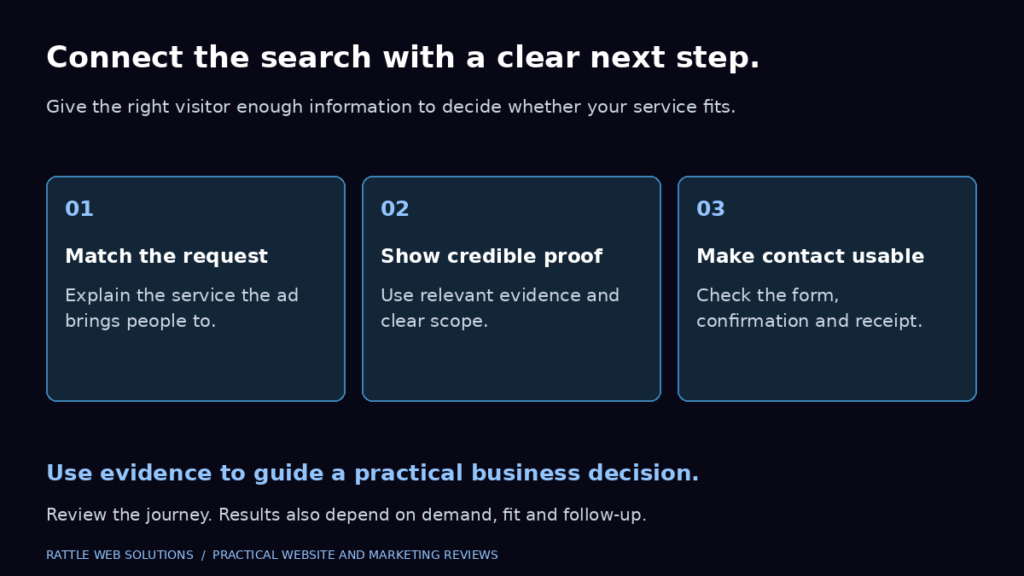
Read the ad and landing page together. They should describe the same service and the same next step.
If an ad promises an instant quote but the page offers an initial consultation, the customer may expect something your team cannot provide immediately. If a headline uses a broad category but the page covers a specialist service, unsuitable requests may be predictable.
Check the terms that shape expectations: service type, location, scope, timescale and whether the offer is an assessment, quotation or booking. Clarify those terms where the customer needs them.
Use proof that is relevant and supported. Do not add invented results or universal guarantees to attract more clicks. The customer needs a realistic reason to choose the next step, not a promise your delivery team must later undo.
Our service business landing page guide covers the wider page structure. For lead quality, focus on whether the page helps the right customer recognise a fit and the wrong customer recognise a boundary.
Explain important boundaries without making the page difficult
A service page should make the offer understandable. It should not require customers to decode a long list of exclusions before they can inquire.
Include the boundaries that repeatedly affect suitability. These might be the type of customer you serve, the work included, the service area or the information needed before you can quote.
Where price is variable, explain the factors that affect it rather than presenting an unsupported fixed price. Where a minimum commitment genuinely exists, make that clear at a suitable point in the journey.
Avoid judging customers from vague labels. A small business can be a suitable customer for some services and unsuitable for others. State the requirements rather than using language that makes the customer feel unwelcome.
Check whether the call to action matches readiness. A visitor researching a future project may need to discuss scope. A visitor ready for a defined service may need to request availability. Both journeys can be valuable when the next step is honest.
Use form questions to support the next decision
Adding fields can provide more context, but it can also make the form harder to complete. Choose questions that your team will use.
For an on-site service, the requested location may be important. For a project service, a short description and approximate timing may be enough to begin a useful conversation. Ask about budget only when it genuinely helps define the next step, and explain the purpose where necessary.
Do not use a long form as a substitute for clear service information. Customers should not discover after submitting that you do not offer the service described in the ad.
Review mobile completion and the loading state after changing the form. If a customer cannot use the fields or cannot tell whether the submission succeeded, you may lose suitable inquiries while trying to improve quality.
Keep your original inquiry fields and integrations in mind. A new field might affect contact records, follow-up processes or reporting. Test the complete journey with an authorized internal submission before relying on it.
Check what the account treats as a conversion
A click on a contact button is an expression of interest. A completed form is a different step. A suitable inquiry and an agreed project are later steps again.
If the account’s main conversion action represents a very early interaction, the reporting can look healthy while the business sees few useful conversations. If a successful submission is counted more than once, the apparent cost per inquiry can also be misleading.
Review the conversion actions included in the account and the goals used by the relevant campaigns. Confirm what triggers each action and whether it represents the business outcome you intend to measure.
Google provides qualified lead and converted lead categories for outcomes assessed further along the lead process. That distinction is useful, but selecting a category does not by itself create a reliable link between your CRM and advertising account.
Treat later-stage measurement as an implementation project. Establish consistent records, appropriate access and a tested process before using the data for major optimization decisions. Do not send customer data to an advertising platform without the appropriate authorized setup.
Our guide to tracking before running Google Ads explains the measurement stages, while the conversion tracking service covers practical setup support.
Review inquiry handling as part of the diagnosis
Some apparent lead-quality problems occur after the form. A suitable customer may become unreachable if the response arrives too late for their need. A vague reply may fail to answer the question that brought them to the website.
Check whether inquiries have an owner, whether the first useful reply answers the customer’s request and whether the next action is recorded. Distinguish no response from confirmed unsuitability.
If a request needs clarification, ask a focused question. Do not immediately classify every brief message as low quality. Many customers inquire from a phone and provide only enough information to start the conversation.
Review a small sample with the person who handles the inquiries. Their context can explain why the spreadsheet’s label does not tell the whole story.
The objective is to improve the full journey. Better targeting cannot repair an inbox nobody checks, and excellent follow-up cannot make an unrelated search relevant to your service.
Change the earliest supported mismatch
Choose the first point where the evidence shows the journey is going wrong. Record the change, its reason and the result you expect to observe.
| Evidence | Possible first action | What to review afterwards |
|---|---|---|
| Repeated irrelevant search intent | Review relevant targeting and exclusions | Whether that pattern declines without losing useful demand |
| Requests for an unavailable service | Clarify ad and landing page scope | Service fit of subsequent inquiries |
| Repeated location mismatch | Review coverage copy and location settings | Requested job locations |
| Conversion counts include tests or duplicates | Repair measurement definitions | Recorded submissions and reporting consistency |
| Suitable inquiries receive no useful response | Fix assignment and follow-up | Next steps agreed and outcomes |
These are diagnostic examples, not guaranteed prescriptions. The right action depends on the account, campaign type and business.
Avoid changing budget, targeting, copy, forms and conversion goals simultaneously unless an urgent fault requires it. When several parts change together, it becomes harder to understand which change affected the outcome.
Choose a review period that reflects your volume and sales cycle. Do not declare success from one good inquiry or failure from one poor inquiry.
Read quality alongside volume and cost
Track received inquiries, suitable inquiries, agreed next steps and eventual outcomes. Use the same definitions over time and keep unresolved records separate.
Cost per form submission answers a different question from cost per suitable inquiry. A campaign producing fewer submissions can be more useful if more of them fit the service, but that needs evidence from the business records.
Keep the costs included in the calculation clear. Advertising spend, agency fees and website work are different items. Compare like with like rather than switching the definition between reports.
Small samples deserve careful interpretation. One large project can change the apparent result for a month. A longer decision cycle can mean recent inquiries have not reached an outcome yet.
For a wider decision about whether the channel fits your business, see is Google Ads worth it for service businesses?. For this diagnostic review, the immediate aim is to understand and reduce specific mismatches.
Frequently asked questions
Should we stop Google Ads when leads are unsuitable?
Review the pattern, measurement and spend exposure first. A confirmed serious mismatch may justify a targeted pause while it is corrected. Do not assume every unsuitable request requires stopping every campaign.
Will adding negative keywords fix every poor inquiry?
No. They can address relevant search mismatches, but location, ad expectations, landing pages, forms, measurement and follow-up can also affect the outcome. Use exclusions where the evidence supports them.
Does a low cost per lead mean the campaign is working?
It depends on what counts as a lead and whether those inquiries fit the service. Review suitability and later outcomes alongside volume and cost.
Should we make the form longer?
Only add questions that help your team make a useful next decision. Check whether clearer service information would solve the problem first. After a change, verify mobile usability and the full submission journey.
Can we guarantee that all future inquiries will be suitable?
No. Customers, intent and circumstances vary, and targeting has limits. A useful process reduces demonstrated mismatches and makes the remaining inquiries easier to assess.
Start with evidence your business can use
Unsuitable inquiries become easier to diagnose when you know the reason, the source and the step where expectations diverged. That evidence helps your team make a specific change instead of repeatedly increasing spend or rewriting the entire website.