- AccessDomain, hosting and accounts
- EditingHow routine changes work
- InquiriesForms, records and alerts
- RecoveryBackups and restore process
- LicensesDependencies and renewals
- OwnershipSupport and open issues
Start with an account and responsibility map
Ask for a list of the services that keep the site working. Include the domain, hosting, WordPress, email delivery, forms, analytics and any connected customer-management tools.
For each service, identify the account holder, the person paying for it, the renewal date and the colleague who can manage access. If an agency manages a service on your behalf, record that arrangement rather than assuming the account belongs to your business.
| Service | What to confirm | Why it matters |
|---|---|---|
| Domain registration | Holder, renewal responsibility and access | Your website address depends on it |
| DNS management | Who can edit the domain’s records | Website and email routing may depend on it |
| Hosting | Plan, billing and support route | This is where the website runs |
| WordPress | Business access and appropriate user roles | Your team needs to manage the site |
| Forms and CRM | Account holder, storage and notification route | Inquiries may live outside WordPress |
| Analytics and search tools | Correct property and business access | Historical measurement should remain available |
| Theme and plugin licenses | Ownership, renewal and transfer conditions | Continued features may depend on them |
Do not store passwords in this inventory. Record account names and responsibilities, then use the service’s appropriate access or credential-management process. A handover document may be shared more widely than you expect.
Check that the account map describes the real site. An old proposal may name a tool that was later replaced. A plugin can remain installed even when it is no longer used.
Confirm business access before the handover ends
Use access owned by the business where the service supports it. Confirm that the right colleague can sign in, see the correct website or property and perform the actions their role requires.
An invitation is not the same as accepted access. A WordPress account is not the same as hosting access. Being able to view analytics is not the same as being able to manage the property.
Where a provider has recovery settings, ensure the business has an appropriate recovery route. Ask your authorized account administrator to manage authentication changes through the provider’s normal process. Avoid sharing one person’s password among the whole team.
Do not remove the outgoing agency’s access before checking dependencies and continuity. They may still be responsible for an agreed support period or a service that has not transferred. Plan access changes deliberately with the people responsible for the accounts.
Likewise, do not assume every colleague needs administrator access. Match access to the work they perform and keep a record of who is responsible for decisions that affect the site.
Understand how the pages are built
WordPress websites can use the block editor, a page builder, a theme’s layout tools or custom code. Ask which approach the site uses and which areas your team should edit.
Request a short demonstration of common tasks: changing a service description, updating a phone number, adding a blog post and replacing an image. Watch how the changes are checked before publication.
Identify shared components. A header, footer, global style or reusable section can appear on many pages. Editing a shared component may affect more than the page currently open in the editor.
Ask where custom CSS, scripts and integrations are stored. You do not need to memorize the code. Your future maintainer needs enough information to find it and understand its purpose.
Keep finished pages intact unless there is a clear reason to rebuild them. A handover should make the existing website maintainable. Recreating every page introduces unnecessary opportunities for broken links, lost content and visual inconsistency.
Record the design rules your team will use
A website can lose consistency through small edits rather than a major redesign. One page gets a different button color. Another introduces a new font. A service heading becomes longer and no longer fits the mobile layout.
Ask for the practical design rules: heading and body fonts, brand colors, button labels, spacing conventions, image treatment and the intended tone of writing.
Useful examples are often easier to follow than a long brand manual. Identify one approved service page, one article and one inquiry page that show the intended pattern.
Include hover and keyboard focus behavior where relevant. A button’s default appearance is only one state. Your team should understand how visitors recognize a link and how keyboard users find the active control.
If a connected tool has its own branding or restricted styling, note that limitation. A free form service may not support the same customisation as the website around it. Recording the boundary is more useful than promising that every component can look identical.
Verify the inquiry journey on the published site
The contact page is a working process, not just a layout. Identify every form, the place where submissions are stored and the people who should receive notifications.
Test through the published visitor journey using an authorized internal test. Start with the relevant service page, follow the call to action, complete the form and confirm the record reaches the expected destination.
Check the confirmation message or page. It should explain what happens next without implying that a booking or project has already been accepted. Check the mobile layout and any loading or error state.
For each form, record its purpose, storage destination, notification route and account dependency. If a form is embedded from an external platform, a WordPress backup may not include the form’s settings or submission records.
Do not rely exclusively on receiving an email. A notification can fail while a record is stored, or arrive without the wider process working as intended. Confirm both the relevant record and the agreed follow-up responsibility.
If the form collects information your team does not use, discuss whether the field is necessary. Avoid changing fields during handover without understanding their effect on records, reporting and integrations.
Ask for a recoverable backup
The official WordPress backup guide explains that a typical complete site recovery needs both the database and the website files. A folder of images or a content export alone is not a complete replacement for that backup.
Ask what is backed up, how often, where the copies are kept and who can restore them. Confirm whether connected services need separate exports or recovery arrangements.
For your handover, request evidence that recovery has been considered. A controlled restoration into an appropriate separate environment can reveal missing files or configuration. Do not overwrite the live website simply to demonstrate that a backup exists.
Record the date of the latest backup and the responsible person. Understand how much recent content or data could be missing if the site were restored from it.
Treat backup copies as potentially sensitive. They may contain configuration or customer-related data. Keep them in an appropriate restricted location rather than attaching them to a widely shared email chain.
Review theme and plugin dependencies
Ask for a plugin list with a short explanation of each plugin’s role. Identify which tools are active, which are inactive and which require a paid license or external account.
An installed plugin is not automatically necessary. An inactive plugin is not automatically safe to delete. It may hold data or represent a previously used integration that needs deliberate review.
For paid components, establish who owns the license and what happens when the agency’s license or support arrangement ends. Check the actual provider’s terms rather than assuming all licenses transfer.
For free components, note feature limits that affect the workflow. Examples might include restricted form styling, limited automated actions or paid-only reporting. Avoid building your routine around a feature the account cannot use.
Ask your maintainer how updates will be handled. A sensible process includes a current backup, a review of relevant dependencies and checks of important journeys after changes. “Update everything whenever a notification appears” is not a complete maintenance plan.
Preserve useful search and measurement settings
A handover should describe the important settings already in place: page addresses, redirects, SEO tools, sitemap location, analytics property and conversion definitions.
Do not rename successful page addresses merely to make the admin screen look neater. If a URL needs to change, plan the effect on internal links and existing redirects with the person responsible for search performance.
Ask which pages are intended to be indexed and which are deliberately excluded. Thank-you pages, test pages and certain archives can have different purposes from your main service pages. An excluded URL is not automatically a fault.
Keep measurement definitions understandable. A form interaction, successful submission, qualified inquiry and won customer are different events. Our guide to what a service website should track before Google Ads explains how those stages relate.
Check that your business can access the relevant historical properties. Creating a new analytics account during handover can fragment your records when access to the existing account was the real issue.
Agree what launch and support include
Separate the website’s current condition from the support arrangement going forward. Identify the agreed checks, known limitations, outstanding issues and the person responsible for each.
Avoid broad statements such as “fully optimized” without a defined scope. Ask what was checked, which devices or browser previews were used and what the evidence shows. A preview is useful, but it is not the same as testing on every physical device.
For an outstanding issue, record the effect on visitors and the next action. If a free account prevents a specific design change, name the restriction and the available workaround. If a third-party service is temporarily inaccessible, record that as an access limitation rather than claiming the check passed.
Agree how your team requests support, what is included and who handles urgent problems. A maintenance contact should be easy to find when the website stops doing something important.
Build a small handover pack
Keep the pack short enough to use and specific enough to support future work. It should answer common questions without requiring the outgoing agency to explain the site again from memory.
Include an account map, an editing guide, a dependency list, a form journey record, a backup and recovery note, a list of significant customisations and a maintenance responsibility table.
| Item | Acceptance evidence |
|---|---|
| Business access | Relevant owner can access the correct service |
| Editing process | Team can make and check a routine content change |
| Forms | Controlled test reaches the expected record and owner |
| Backups | Scope, location and recovery process are documented |
| Licenses | Responsibility and renewal arrangements are clear |
| Search settings | Key URLs, redirects and indexing intentions are recorded |
| Outstanding work | Each item has a status, owner and next action |
Do not put live passwords or private customer submissions into the pack. Refer to approved access systems and secure records instead.
Frequently asked questions
Is a WordPress administrator login enough for a handover?
It is useful but incomplete. Domain, hosting, forms, analytics, licenses and backups may be managed elsewhere. Confirm the access and responsibility for each service the website depends on.
Do we need to rebuild a website when changing agencies?
Not automatically. Review the existing site’s condition, maintainability and business needs first. Preserve completed pages and working journeys where they support the intended outcome.
Can a free account support a good handover?
Yes, provided the handover reflects the features actually available. Record limits and use practical manual processes where appropriate. A clear owner and documented recovery route do not require every task to be automated.
Should we delete all old plugins immediately?
No. First identify their purpose, dependencies and stored data. Make deliberate changes with the appropriate backup and verification. An unfamiliar plugin name does not tell you whether the site still needs it.
What should we check first if the documentation is incomplete?
Start with business access, hosting and domain responsibility, the inquiry journey and recovery arrangements. Those checks establish whether the business can operate and maintain its current site while the remaining documentation is completed.
Make the handover support the next stage
A good handover leaves your team able to make routine changes, understand important dependencies and ask for help with the right context. It also gives future improvements a stable starting point.
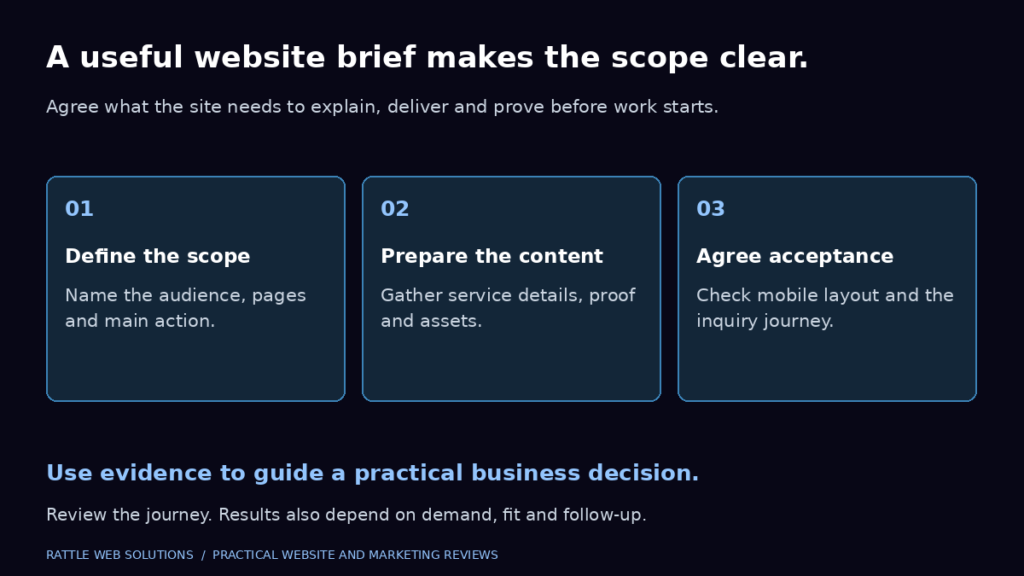
If you are planning website work, our guide to writing a service business website brief can help define the scope.