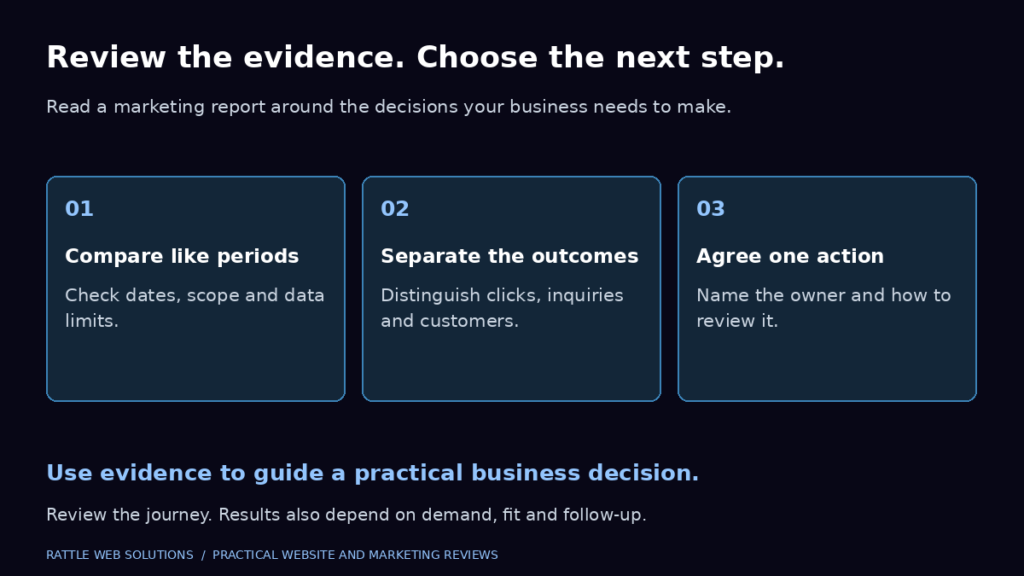
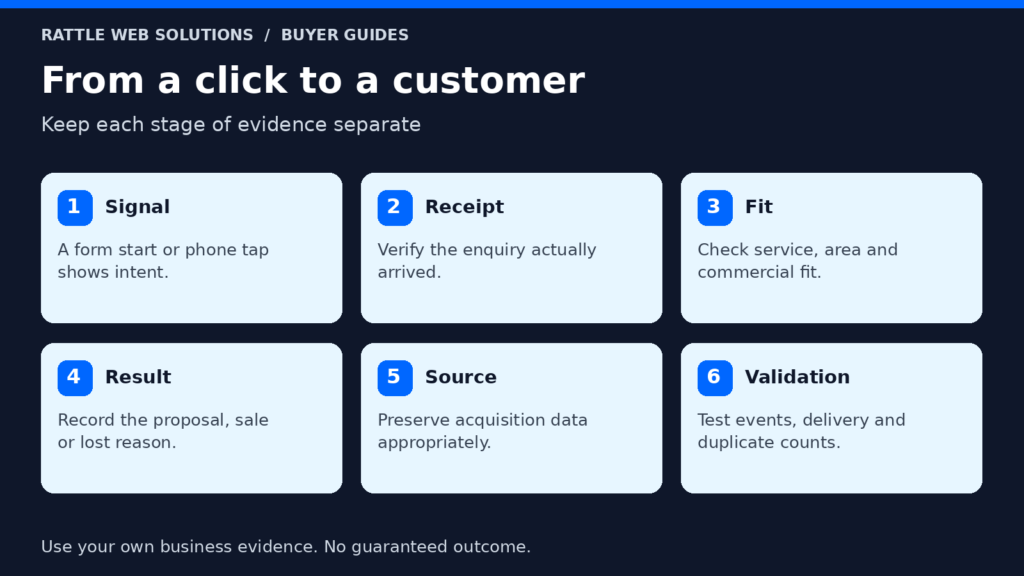
A short, trustworthy chain beats a crowded dashboard. Every recorded action should help answer one of four questions: did someone show intent, did the business receive something usable, did the inquiry fit, and did it create a commercial result?
Without that chain, the advertising platform may report activity while the sales team sees little value. A campaign can appear to produce ten “conversions” when the underlying actions are six button clicks, two duplicate form events, one job application and one relevant inquiry. Accurate measurement changes both reporting and the signals used for optimization.
This guide explains what to track, what not to count as a primary result, how to test the setup and what must remain outside Analytics for privacy reasons.
Start with the four proof measurement model
Use four proof levels so everyone means the same thing when they say “lead”: signal, receipt, fit and commercial result.
| Proof level | What it proves | Example | Where it should be confirmed |
|---|---|---|---|
| Signal | A visitor showed intent but may not have completed contact | Form start, phone tap or WhatsApp click | Website or analytics |
| Receipt | The business received a usable contact record or connected call | Accepted form, connected call or confirmed booking | Form, call or booking system |
| Fit | The received inquiry passed agreed qualification criteria | Decision maker requests a service within the agreed scope | CRM or reviewed lead register |
| Commercial result | The lead reached an agreed sales milestone | Proposal, appointment, signed engagement or customer | CRM, sales or finance record |
A browser knows what happened on the page. It cannot judge service fit or revenue. Receipt, fit and commercial outcome must therefore be confirmed by the systems and people that actually handle the inquiry.
This distinction prevents three common mistakes:
- Counting an intent signal as a received inquiry
- Treating every submitted form as a qualified lead
- Optimizing advertising toward whichever event fires most often rather than the event that best represents business value
Define the measurement plan before installing tags
A measurement plan is a plain language agreement between the business, website, advertising account and sales process. Write it before choosing event names or tools.
For every potential action, answer six questions:
- What exactly happened?
- What proves that it succeeded?
- Is it a primary business action or a supporting diagnostic?
- Which system is the source of truth?
- What information may be sent to Analytics or Google Ads?
- How will the team test and review it?
A simple plan for a service website might look like this:
| Action | Success rule | Role in Google Ads | Source of truth | Acceptance check |
|---|---|---|---|---|
| Inquiry form | Server or form tool confirms successful submission | Primary after validation | Form system or CRM | One valid test produces one event and one received inquiry |
| Phone link click | Visitor taps a tel: link | Secondary diagnostic | Analytics | One tap produces one event; no lead claim |
| Qualified phone call | Call connects and meets the agreed rule | Primary when call reporting is reliable | Call system plus lead review | Test number and call outcome appear once |
| WhatsApp click | Visitor opens a WhatsApp contact path | Secondary diagnostic | Analytics | One click produces one event; no message claim |
| Confirmed appointment | Booking tool creates a valid appointment | Primary if appointments are valuable and verified | Booking system | One booking appears in the system and event record |
| Qualified lead | Team marks a received inquiry as fitting the criteria | Later business outcome | CRM or lead register | Status can be connected to the original source |
| Customer | Lead becomes a signed or paid customer | Later business outcome | CRM or finance record | Outcome is recorded using the approved definition |
Not every business needs every row. Remove actions that do not exist. Add an action only when its definition and validation method are clear.
Track completed forms, not just button clicks
A form button click proves only that someone pressed a button. The form may still fail because a required field is empty, validation rejects an entry, the network request fails or an embedded form does not complete.
For a lead form, the primary event should occur after a verified success state. Depending on the implementation, that proof may be:
- A reliable success callback from the form tool
- A server confirmed submission
- A unique confirmation page reached only after success
- A booking or CRM record created by the completed flow
Google Analytics recommends the generate_lead event when someone submits a form or request for information. Enhanced measurement can also collect form_start and form_submit, but automatically collected form events still need validation on the actual site and form technology.
Use the events differently:
- form_start: diagnostic signal showing that a visitor began interacting with the form
- form_submit: form interaction signal that requires implementation review
- generate_lead: reviewed event for a completed lead request
The names do not make the implementation accurate. The trigger and test do.
Form acceptance tests
Run at least these cases before launch:
- Submit a valid test and confirm the form system receives it.
- Confirm exactly one primary event is recorded.
- Submit with a required field missing and confirm no success event fires.
- Refresh the success page and confirm a duplicate is not created.
- Test on a real mobile browser and desktop browser.
- Confirm the source and landing page remain available for reporting.
- Verify that names, email addresses, phone numbers and message text are not sent to Google Analytics.
Rendering a form is not the same as delivering an inquiry. A complete operational test also checks that the notification, inbox or CRM receives the record. That delivery test should be done with authorised test data, never by submitting an unsolicited inquiry to another business.
Track calls at the level you can actually prove
Phone tracking often contains two separate events:
- A visitor clicked or tapped a phone number on the website.
- A call connected and met the business’s qualification rule.
The first is useful for journey diagnosis. It does not prove that a call connected, concerned the advertised service or became a lead.
If the campaign relies on calls, define what counts. The rule might consider connection, minimum useful duration and human review. Duration alone is imperfect: a long wrong number is not a qualified lead, while a short urgent booking can be valuable.
Record missed calls separately. A missed call may show demand but also reveal a response problem. Do not hide it inside a successful lead total.
Before using phone calls as a primary Google Ads conversion, verify call reporting, location availability, forwarding behavior, business hours and who reviews the calls. Keep caller details in the approved call or customer system rather than placing personal information in Analytics event parameters.
Treat WhatsApp clicks as intent, not confirmed inquiries
For many Indian businesses and some international buyers, WhatsApp is an important contact path. A website can usually measure that someone clicked a WhatsApp link. It may not know whether the person sent a message, received a reply or became a genuine inquiry.
Unless a supported integration confirms a later step, classify a WhatsApp click as a secondary action. Use it to compare page journeys, placement and device behavior. Do not label it a received lead in management reporting.
If WhatsApp outcomes are reviewed manually, add the conversation to the lead register with its source, service, validity, qualification and final outcome. Never place the message content, phone number or name in Google Analytics.
Separate primary conversions from diagnostic events
Google Ads classifies conversion actions as primary or secondary. Primary actions may be used for bidding when the related goal is selected. Secondary actions are generally for observation and appear in the broader reporting columns rather than the main Conversions column. An important exception is a custom goal: actions included in a custom goal can be used for bidding regardless of their primary or secondary label. Audit the campaign goal as well as each action.
That distinction matters because an advertising system learns from the actions selected for optimization.
For a typical service business:
Possible primary actions
- Successfully submitted and validated service inquiry
- Qualified connected call
- Confirmed appointment or consultation booking
- Qualified lead or converted lead imported from the sales process
Useful secondary actions
- Form start
- Contact button click
- Phone link click without call confirmation
- WhatsApp link click without message confirmation
- Pricing page visit
- Long engagement or scroll depth
Secondary actions can explain friction and interest. They should not compete with genuine lead outcomes for campaign budget unless the business has deliberately chosen and documented that strategy.
Audit existing account default goals before a new campaign launches. An old page view, imported event or unrelated contact action can become a bidding signal if it is left as a primary action inside a selected goal.
Preserve the acquisition source
A completed inquiry is more useful when the business can tell how it arrived.
At minimum, retain enough supported information to analyse:
- Source and medium
- Campaign
- Landing page
- Date and time in the reporting time zone
- Device category for aggregate analysis
- Relevant Google Ads click attribution when implemented through supported tags and integrations
Do not put personal details into campaign parameters, URLs or Analytics events. Do not build a home made identity system from raw advertising identifiers. Use supported Google tags, consent controls and approved CRM or Data Manager connections.
The sales record should carry a stable lead identity inside the business’s approved system. It should also retain the original source when practical, rather than replacing it every time someone returns through a different channel.
Measure lead quality after the website action
The advertising platform sees a form or call event before the business knows whether the person is suitable. Create a small qualification process outside the website.
For each received inquiry, record:
- Valid or invalid
- Service requested
- Service area fit
- Business or customer fit
- Timing or urgency
- Decision maker status where relevant
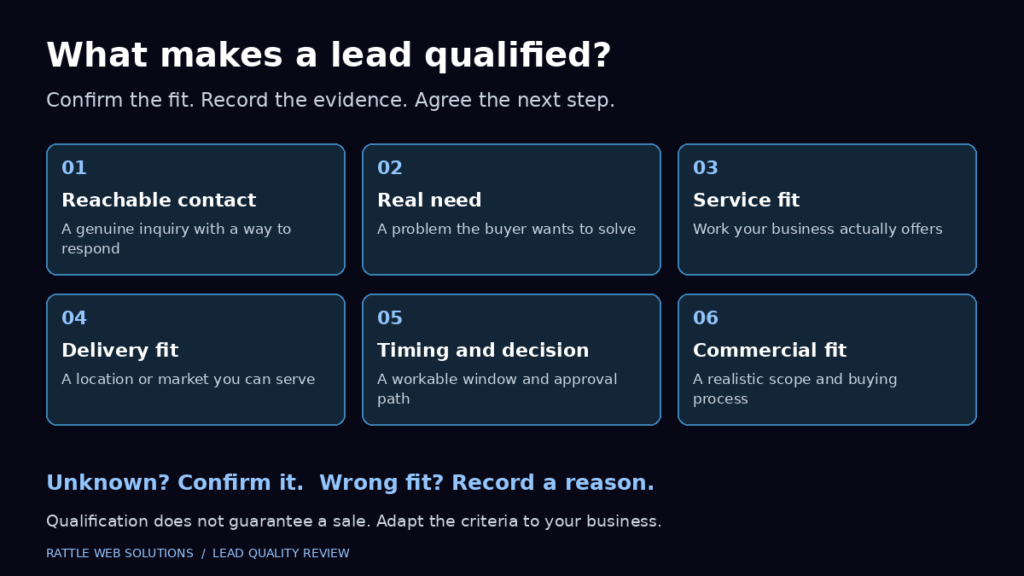
- Qualified or disqualified
- Sales opportunity created or not
- Customer outcome when known
- A controlled reason when disqualified or lost
Keep the definitions short enough that the team will actually use them. “Qualified” should not mean “the salesperson liked it.” It should mean the inquiry passed agreed criteria.
Google Ads distinguishes qualified leads from converted leads. Google Analytics also recommends lifecycle events including qualify_lead, disqualify_lead, working_lead, close_convert_lead and close_unconvert_lead. These later events are useful only when the underlying sales status is consistently recorded.
Current Google guidance recommends enhanced conversions for leads and Google Ads Data Manager for supported offline lead workflows. The implementation can use privacy safe matching of user provided data under Google’s policies, but that does not remove the business’s responsibility to obtain required consent, secure the information and follow applicable law.
Do not implement advanced offline imports merely because they are available. First prove that the website action, lead identifier, qualification process and CRM fields are reliable.
Build privacy into the measurement design
Measurement should collect the minimum information needed for the decision.
Google Analytics policies prohibit sending personally identifiable information such as names, email addresses or phone numbers to Analytics. Common leakage routes include:
- Form values copied into event parameters
- Email addresses in confirmation page URLs
- Search or filter fields that appear in page URLs
- Unredacted message text in a data layer
- CRM record details passed into Analytics as labels
Keep personal information in the form system, CRM or other approved business system. Use anonymous or permitted identifiers only where the platform rules and applicable law allow them.
Consent requirements vary by country, state, audience and technology. Review the actual cookies, tags, remarketing features, form disclosures and data destinations for the business. This article is an operational checklist, not legal advice.
Use one measurement owner and one event dictionary
Duplicate tracking often begins when a theme, analytics plugin, Site Kit, Google Tag Manager, Google Ads and a form integration all try to record the same action.
Create an event dictionary with one owner for each event:
| Event | Trigger | Destination | Role | Owner |
|---|---|---|---|---|
generate_lead | Verified service inquiry success | GA4 and approved Ads import | Primary | Measurement owner |
form_start | First form interaction | GA4 | Diagnostic | Measurement owner |
phone_click | Click on reviewed tel: link | GA4 | Diagnostic | Measurement owner |
whatsapp_click | Click on reviewed WhatsApp link | GA4 | Diagnostic | Measurement owner |
qualify_lead | Lead passes documented criteria | CRM to approved destination | Later outcome | Sales owner |
close_convert_lead | Lead reaches defined customer state | CRM to approved destination | Business outcome | Sales owner |
The exact names can differ, but every event needs one trigger, one definition and one accountable owner. Site Kit can surface data and supported integrations, but its presence alone does not prove that custom events, form delivery or CRM outcomes are configured correctly.
Validate the system from browser to sales record
Do not launch after seeing a tag fire once. Test the whole path in stages.
Stage 1: website action
Complete the action on desktop and mobile. Confirm the page, form, call or booking tool behaves correctly and displays an accessible success state.
Stage 2: tag and event
Use Google Tag Manager preview and Tag Assistant where applicable. Confirm the intended tag fires once, the wrong tags do not fire, and prohibited data is absent.
Stage 3: analytics receipt
Confirm the event reaches the correct GA4 property and has the expected event name and permitted parameters. Allow for product specific processing time before treating a standard report as final.
Stage 4: Google Ads action
Confirm the correct conversion action, category, counting rule, primary or secondary status and campaign goal. Check that unrelated default goals are not included.
Stage 5: operational delivery
Confirm the authorised test inquiry reaches the correct inbox, form record, booking system or CRM exactly once.
Stage 6: lead outcome
Confirm a reviewer can mark the test record valid, qualified, working, disqualified or converted according to the event dictionary. If offline outcomes will be imported, test the approved connection and diagnostics without exposing personal information.
The measurement setup is ready only when the expected result appears at every required stage and the failure cases do not create false conversions.
A hypothetical service business example
Consider a hypothetical commercial cleaning company using two contact paths: a quote form and phone calls.
The website records form_start when someone begins the quote form. That event is diagnostic. It records generate_lead only after the form tool confirms a successful submission. The form record reaches the CRM with the original source and requested service.
A salesperson reviews the inquiry. A request for residential cleaning outside the service area is valid but disqualified. A facilities manager requesting a commercial site visit in the service area is marked qualified. If the manager books an assessment, the record becomes a sales opportunity. If a contract is signed, it becomes a customer.
Phone link taps remain secondary. Connected calls are reviewed in the call system, then added to the same qualification process. The campaign can therefore compare completed inquiries and, once the process is reliable, later qualified outcomes rather than treating every tap as equal.
No conversion rate, cost per lead or sales result is implied by this example. It demonstrates the classification system only.
The prelaunch measurement checklist
Do not start paid traffic until the applicable items pass.
Definitions
- Primary inquiry actions are named in plain language
- Valid, qualified and converted lead definitions are documented
- Supporting actions are separated from business outcomes
- One system of record is named for each stage
Website and events
- Each landing page has a working contact path
- Form success is tracked after confirmation, not merely on a click
- Call and WhatsApp clicks are labelled accurately
- Duplicate, refresh and validation error cases have been tested
- Desktop and mobile tests pass
Advertising configuration
- The correct Google Ads and GA4 properties are connected where intended
- Primary and secondary actions match the measurement plan
- Campaign goals exclude irrelevant legacy actions
- Conversion diagnostics show no unresolved implementation fault
- The reporting time zone and attribution approach are documented
Privacy and operations
- No personal information is sent to Google Analytics
- Consent and disclosures match the actual technology and jurisdictions
- The test inquiry reaches the approved destination
- A named owner reviews leads and records outcomes
- The team can distinguish a click, inquiry, qualified lead and customer
Frequently asked questions
Do I need both Google Ads conversion tracking and GA4?
They serve related but different purposes. Google Ads conversion actions support advertising reporting and bidding. GA4 helps analyse the wider website journey and traffic from multiple sources. A business may use both, but should avoid duplicate primary actions and document which system owns each event.
Should a form button click count as a lead?
No. It proves an attempt, not a successful submission. Track the click only as a diagnostic if useful. Count the lead event after the form or server confirms success and the implementation passes failure and duplicate tests.
Should WhatsApp clicks be Google Ads conversions?
A WhatsApp click can be measured, but it does not prove a message was sent or received. Treat it as secondary unless a reliable, compliant integration confirms a later action that the business has defined as valuable.
What is the difference between a lead and a qualified lead?
A lead is an initial contact or request. A qualified lead has been reviewed and fits the agreed service, location, timing and commercial criteria. The exact definition should be written before reporting begins.
What should Google Ads optimize toward?
Optimise toward the most meaningful reliable action that occurs with enough consistency for the chosen strategy. Do not select page views, button clicks or other frequent actions merely to create more conversion volume. As later qualified or converted lead data becomes reliable, the campaign can use those outcomes where appropriate.
Can tracking be tested without launching ads?
Yes. Website actions, tags, analytics events, form delivery and lead status fields can be tested before paid traffic starts. Advertising attribution and live campaign behavior still require real eligible interactions, but the implementation should not wait for spend before basic QA.
Build evidence before buying traffic
A service business does not need a huge analytics system before Google Ads. It needs a truthful one.
Start with a completed inquiry, preserve the source, review whether the inquiry is valid and qualified, and record the sales outcome. Keep form starts, phone taps, WhatsApp clicks and page engagement available for diagnosis without confusing them with leads.
Rattle Web Solutions provides conversion tracking setup for service businesses using Google Tag Manager, GA4 and Google Ads, alongside Google Ads management and WordPress website support. To review the measurement path before spending, request a conversion tracking readiness review.
Still deciding whether to launch? Use the six Google Ads readiness checks to assess demand, economics, page quality and response capacity alongside measurement.
For a broader view of how submissions, qualified opportunities and customers fit together, explore Measure Marketing Results. Agree these definitions before deciding which campaign deserves more budget.